ScanDeck for Mac
Scanned, named, and findable in seconds.
ScanDeck gives you an easy, visual way to scan, organize, and edit your paper documents. Add the folders where you keep your documents, browse large thumbnails, and drag and drop to merge or move — like a desk full of paper, without the paper.
No subscription · No cloud account · Your documents stay on your Mac
Scan without the hassle
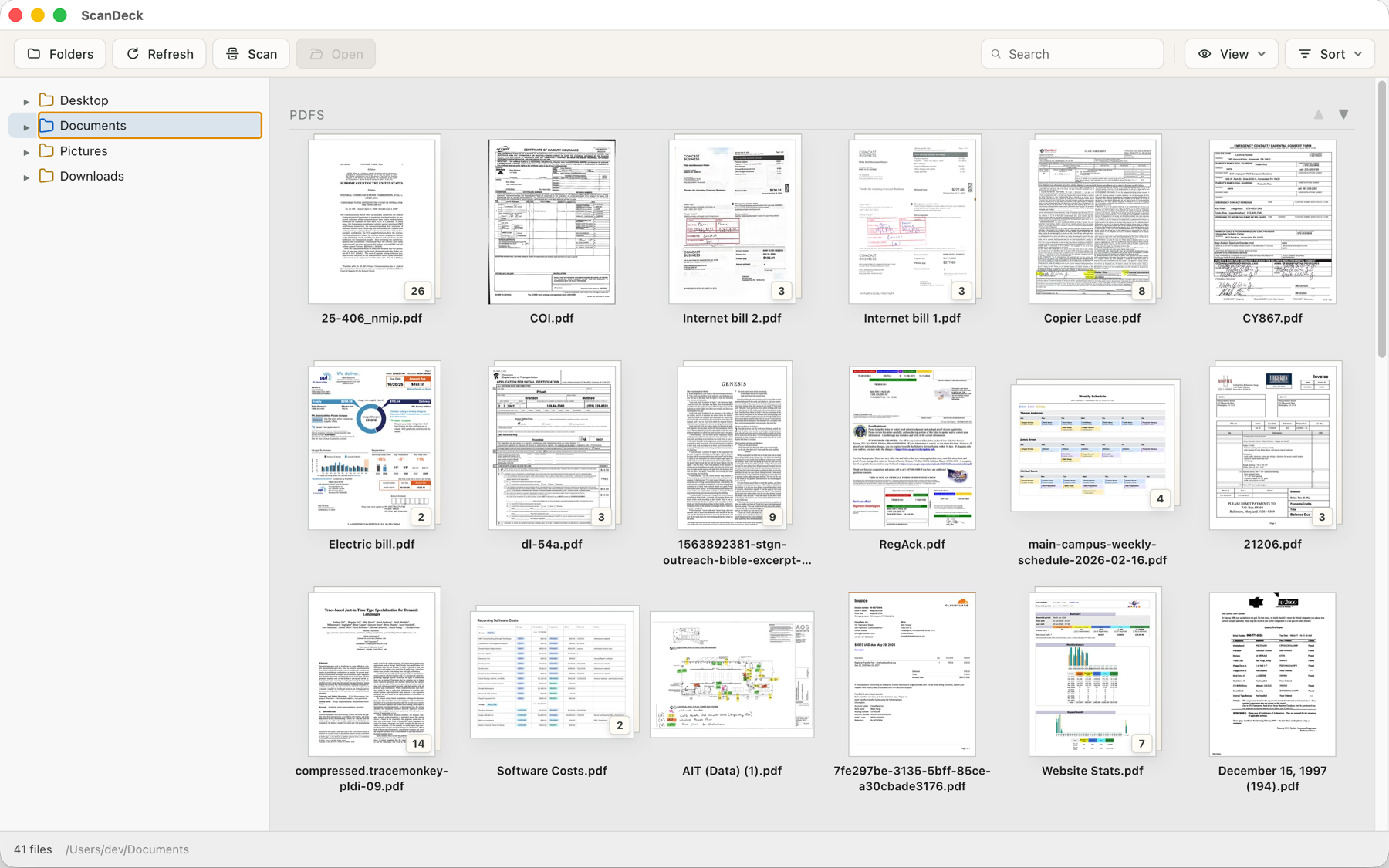
ScanDeck talks to your scanner directly — no drivers to install. Use any scanner your Mac already knows about, or scan straight to a network scanner over Wi‑Fi.
Pick color or black‑and‑white, feed a stack through the document feeder, and pages land in your folder as PDFs, named and ready to file.
Everything in one place
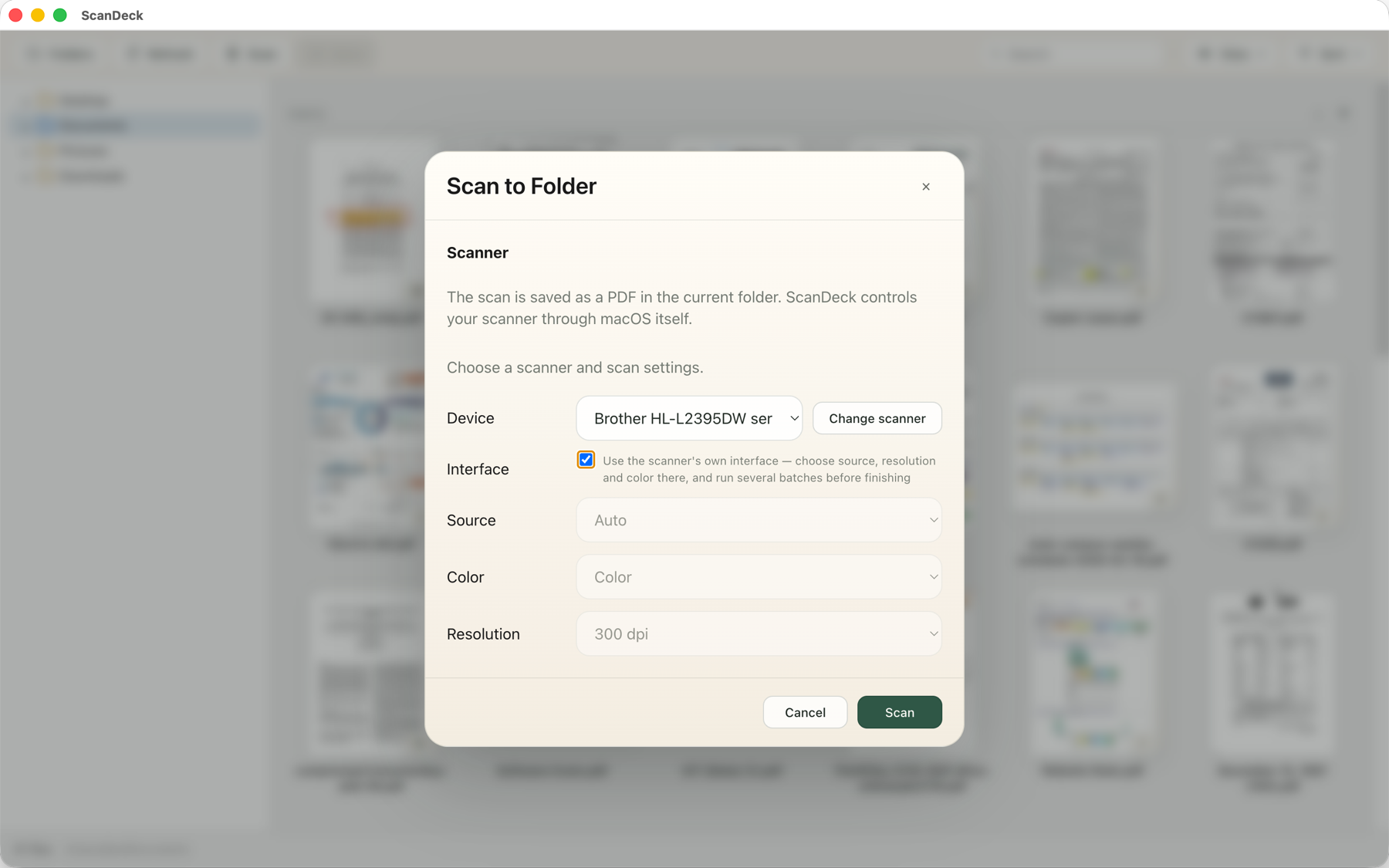
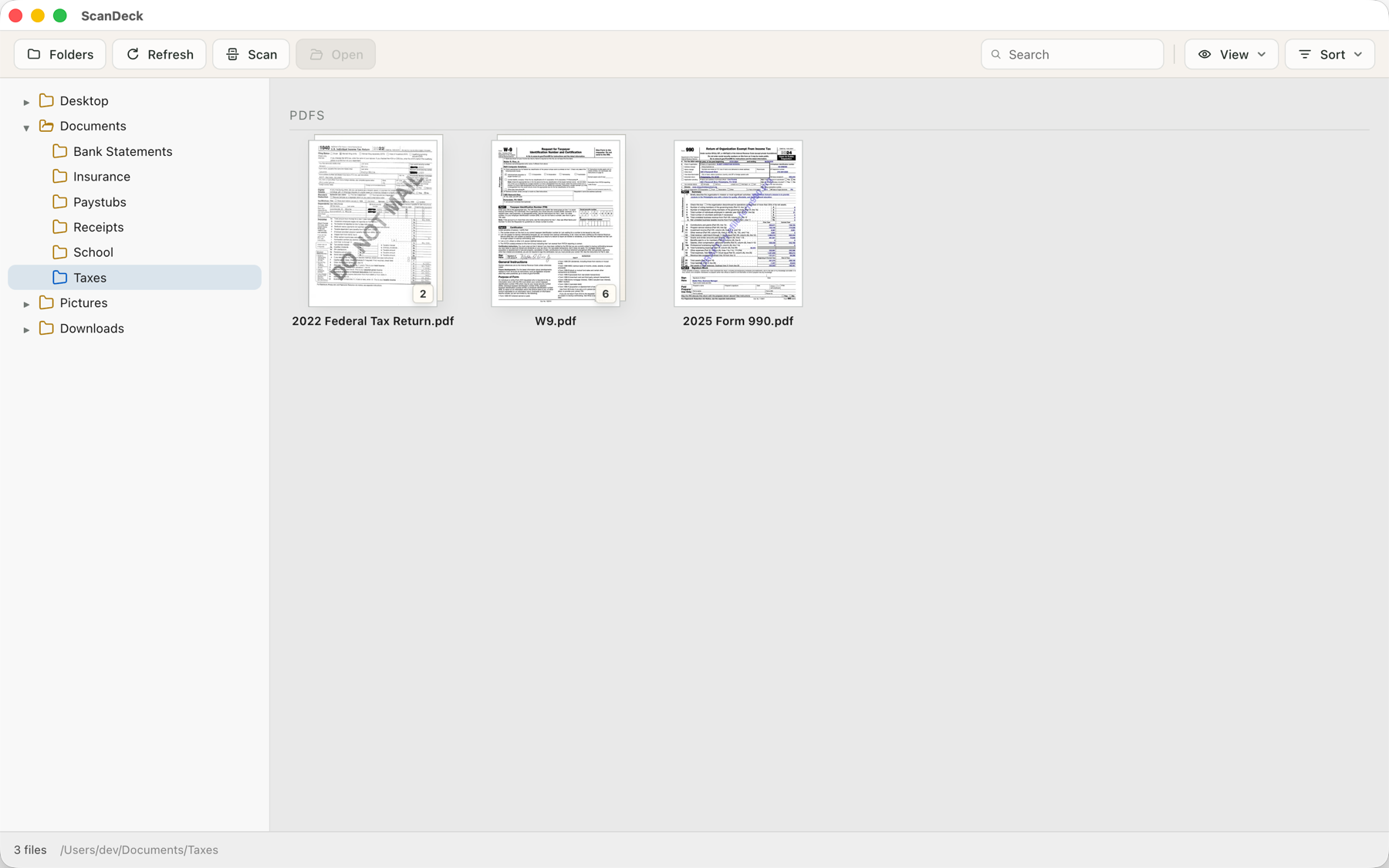
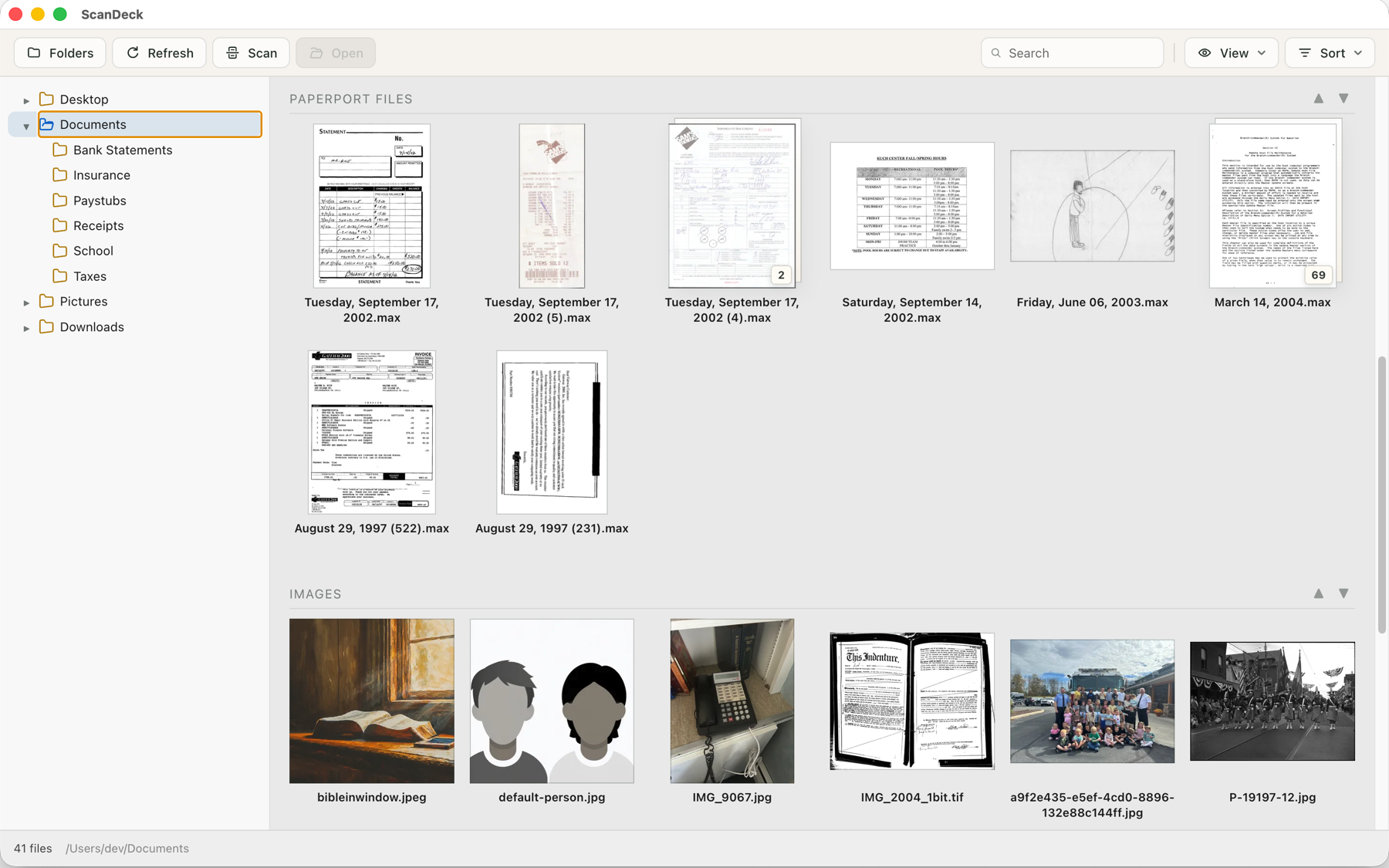
Your documents stay in ordinary folders on your Mac — ScanDeck simply gives them a better view. Browse big, readable thumbnails of PDFs, images, Office documents, and more.
Rename with a click, sort the way you like, and drag files between folders just like a desk full of paper — without the paper.
Edit PDFs right where they live
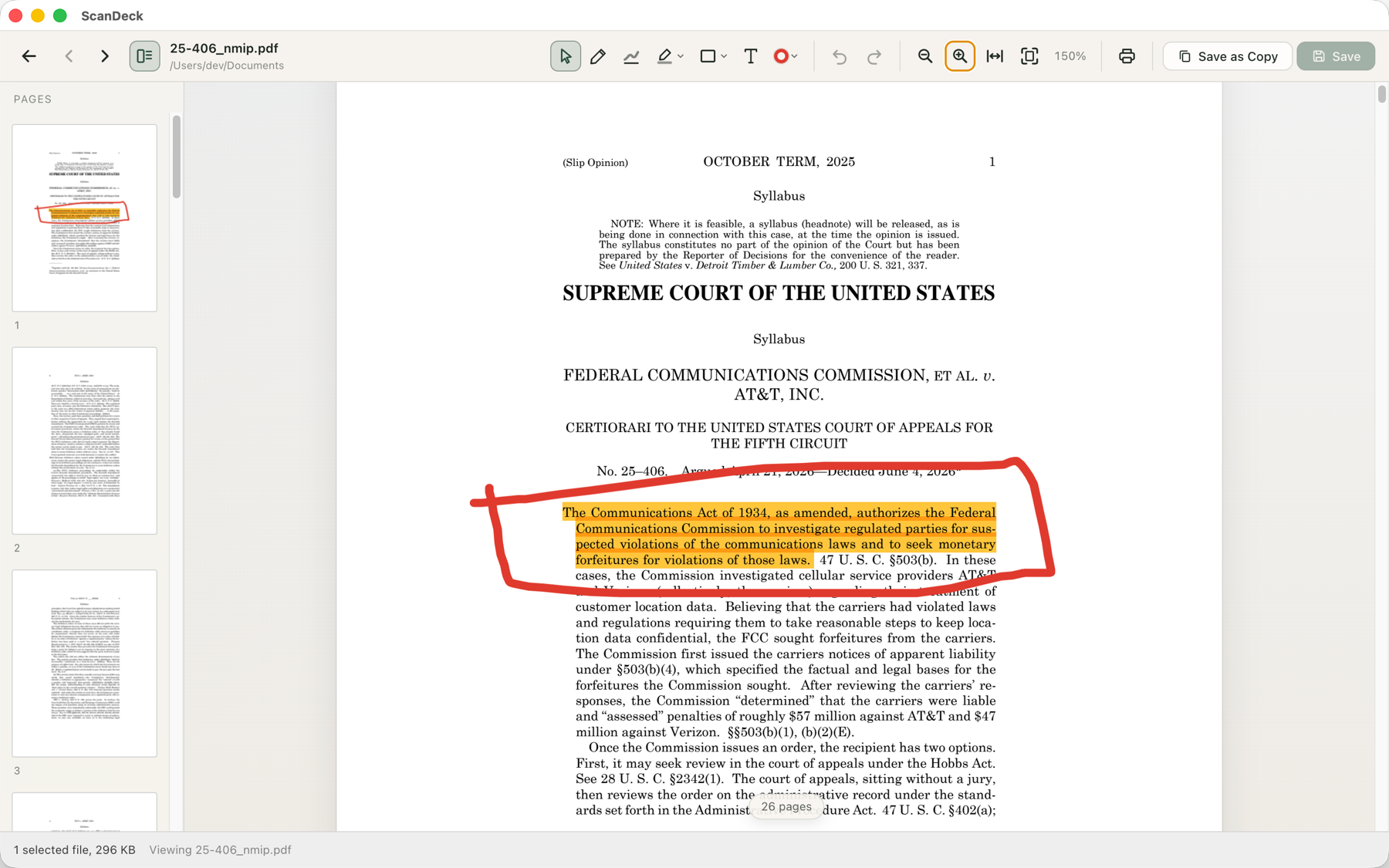
Open any PDF in the built‑in viewer to highlight, annotate, and mark up. Reorder, rotate, or delete pages. Combine documents by dropping one onto another.
Make scanned pages searchable with built‑in text recognition, and print anything — one file or a whole selection — without leaving the app.
Coming from PaperPort?
ScanDeck reads legacy PaperPort .max files and converts them to standard PDFs with one click — so a filing cabinet's worth of old scans isn't locked away in a format nothing else can open.
Why ScanDeck
- No subscription, no cloud account — your documents never leave your Mac
- Works with your existing folders; nothing gets imported into a hidden library
- Drag‑and‑drop merging, moving, and stacking
- Built‑in PDF viewer with annotation and page editing
- Scan from USB or network scanners, with automatic document feeder support
- Converts legacy PaperPort .max files to PDF
For everyone who still deals in paper.
Receipts, medical records, school forms, contracts — scanned, named, and findable in seconds.
Download on theMac App Store